
WebPrint Plus For Windows
|
|
WebPrint Plus For Windows |
|
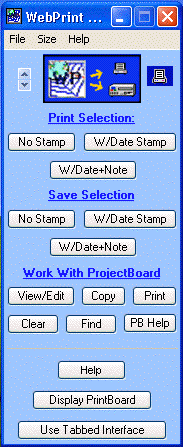
WebPrint Plus is very ease to use: just select the text you want to print or save (in virtually any application), and then click once on the WebPrint Plus button that performs your desired function. Next, within five seconds, click once on the Title Bar of the window that contains your selected text to let WebPrint Plus know which window to print/save from.
Alternatively, you can drag-and-drop your selection onto WebPrint's small printer icon and WebPrint Plus will then instantly print your data. Holding down the Alt key while dragging your text invokes the WebSaver feature, and your dragged info is instantly saved.
This only begins to describe the features and flexibility that's built into WebPrint Plus!
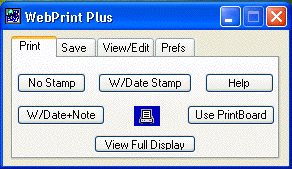
For those of you who like to work with a Tabbed Interface, this option is always instantly available with a single click of your mouse. (WebPrint's preferences let you set your preferred default interface.)
Clicking once on WebPrint's small printer icon
turns WebPrint Plus into a small Desktop Printer.
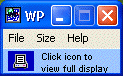
Dragging and dropping a text selection from an application onto the Desktop Printer instantly prints your data! (Some closed RTF text files also can be printed via drag-and-drop.)
Holding down the Alt key while dragging your text invokes the WebSaver feature, and your dragged info is instantly saved (this works with web browsers, AOL, PDF files, and many other programs.)
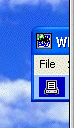
To further reduce the size of WebPrint's Desktop Printer feature, you can drag the Desktop Printer to the right edge of your screen. You can still use the Desktop Printer icon to either print or save dragged and dropped selections or restore the full WebPrint Plus display.
You can use the exposed Title Bar to drag the Desktop Printer to another location and you can use the File menu to Quit WebPrint Plus.
To really appreciate how well these -- and many other -- WebPrint Plus features work and how easy and flexible WebPrint Plus is to use, you need to try it. (The free demo is fully functional.)
Copyright © 2003 by Steve Becker. All rights reserved.